Managing Attribute Templates
Last updated: July 9, 2026
To manage your Attribute Templates in your SOV View, click on the Attribute Templates button in the top row.

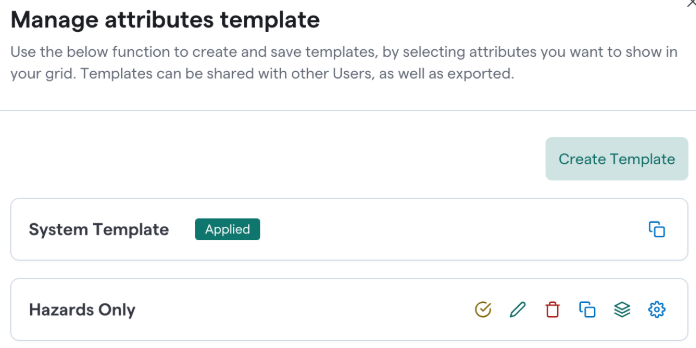
You can create a new template here as well as manage your Attribute Templates the following ways
Apply Attribute Template: This will apply the attribute template to your SOV
Edit Attribute Template: Edit which attributes are in your template and change the order of the columns
Delete Attribute Template: Deletes the attribute template and returns your SOV to the default template
Copy Template URL: Share this URL with others to view the SOV with the template automatically applied
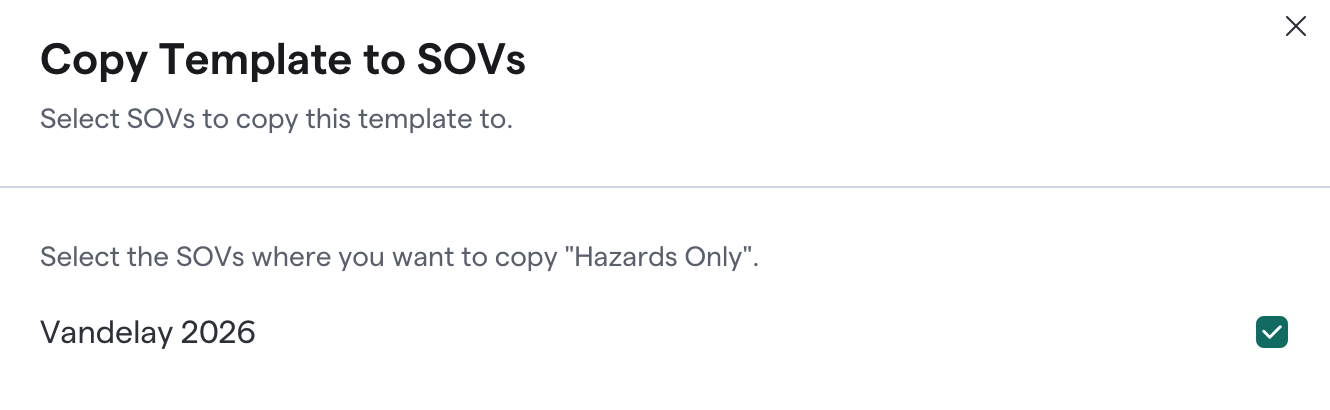
Copy Template to other SOVs: Copies the template to be used on other SOVs on your account
Set as default Template: Viewers of the SOV will see the templated attributes as a default